
Legacy workflows overview
Legacy workflows were built in the classic builder. They keep running, and you can still open and edit them in the classic builder. You can’t create new workflows in the classic builder; new workflows are built with AI Assist. AI Assist can’t edit legacy workflows, so they don’t show up when it searches.
Find legacy workflows
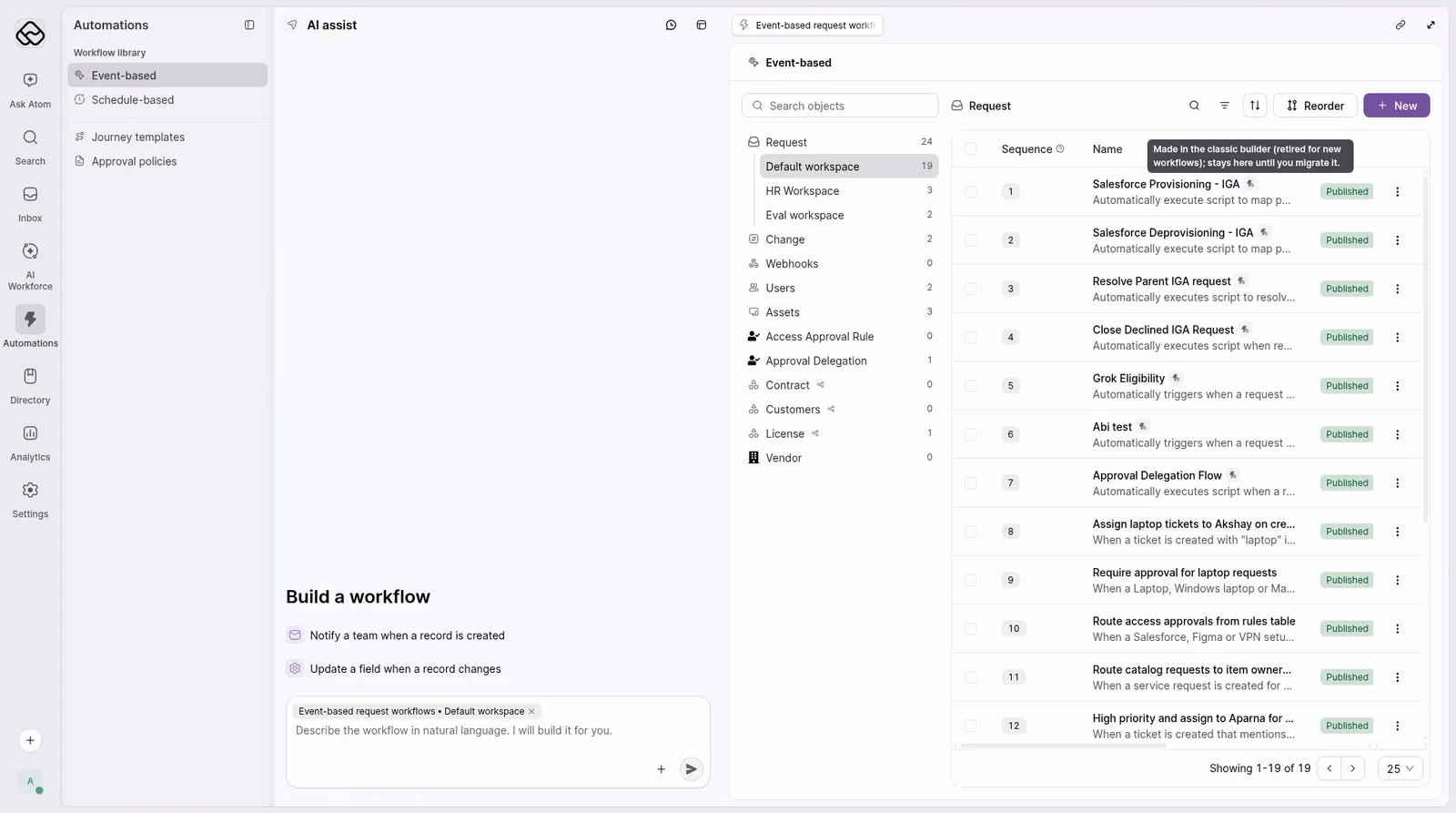
In the Workflow library, the legacy workflow icon sits next to the workflow’s name. Hover over the icon to read what it means: “Made in the classic builder (retired for new workflows); stays here until you migrate it.”
The classic builder
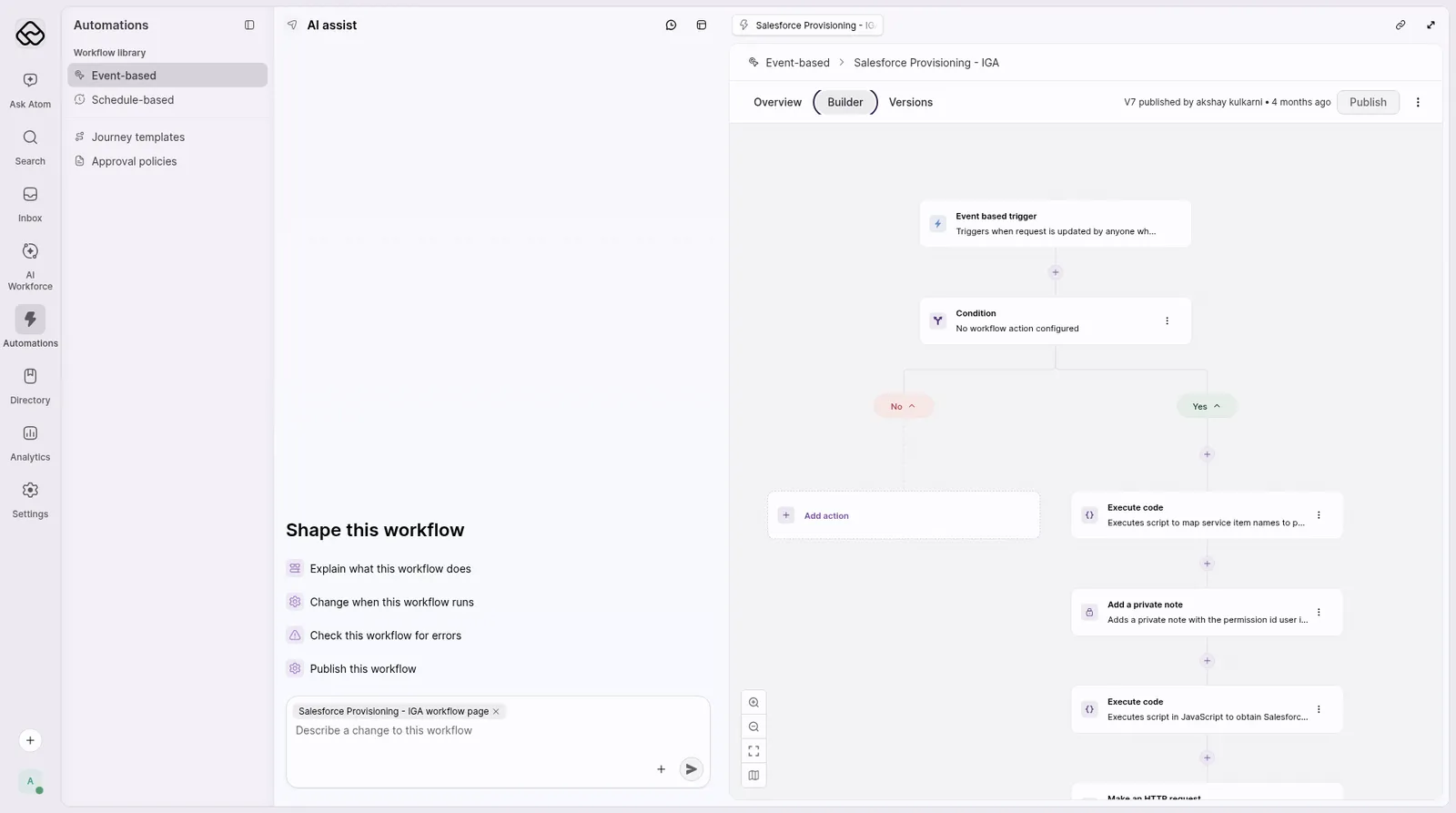
The classic builder shows the trigger and each action as a node. Click Add action between nodes to add a step.
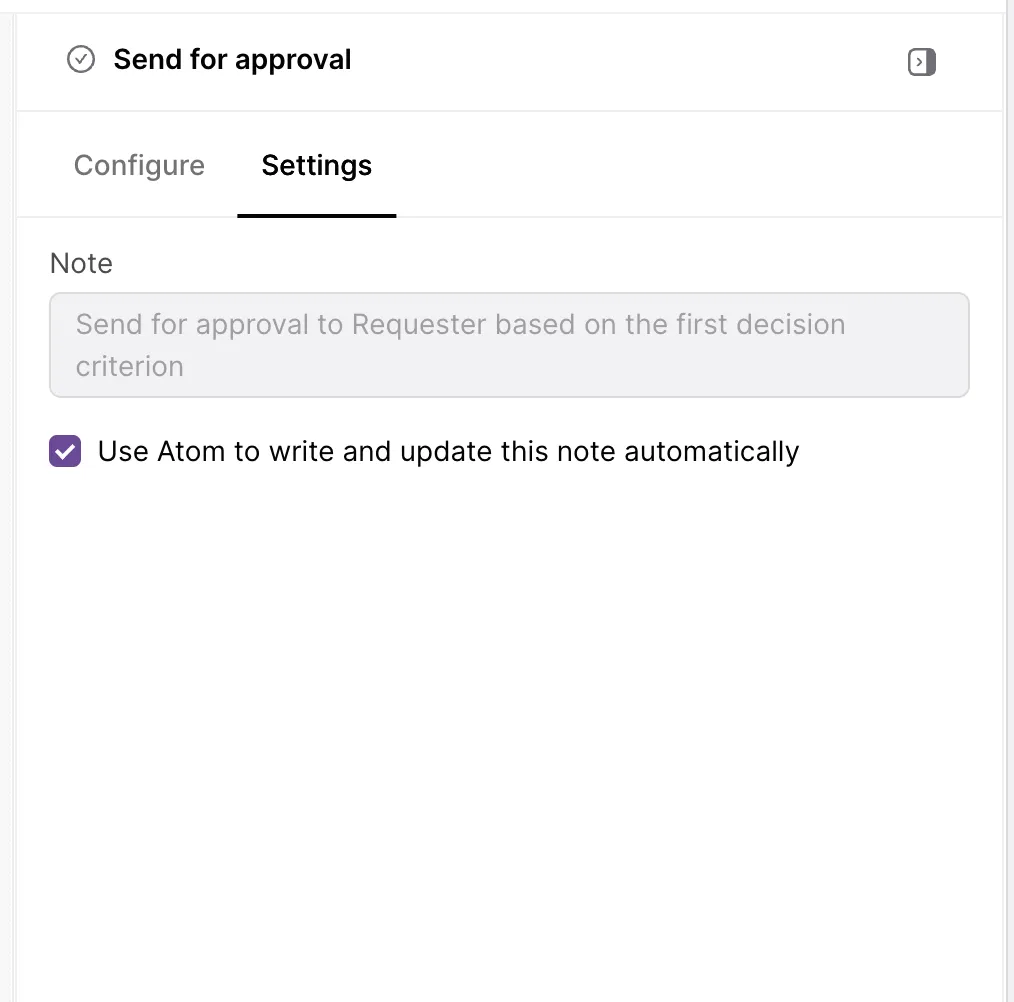
Atomicwork writes a note on each trigger and action that describes its current configuration. If you want to write your own note, open the node, go to Settings, and turn off Use Atom to write and update this note automatically.
For the actions you can add, see Legacy workflow actions.
Events and update payloads
Legacy workflows use the same events and update payload placeholders as other workflows. See Workflow events. This legacy workflow starts on User is updated and other user events:
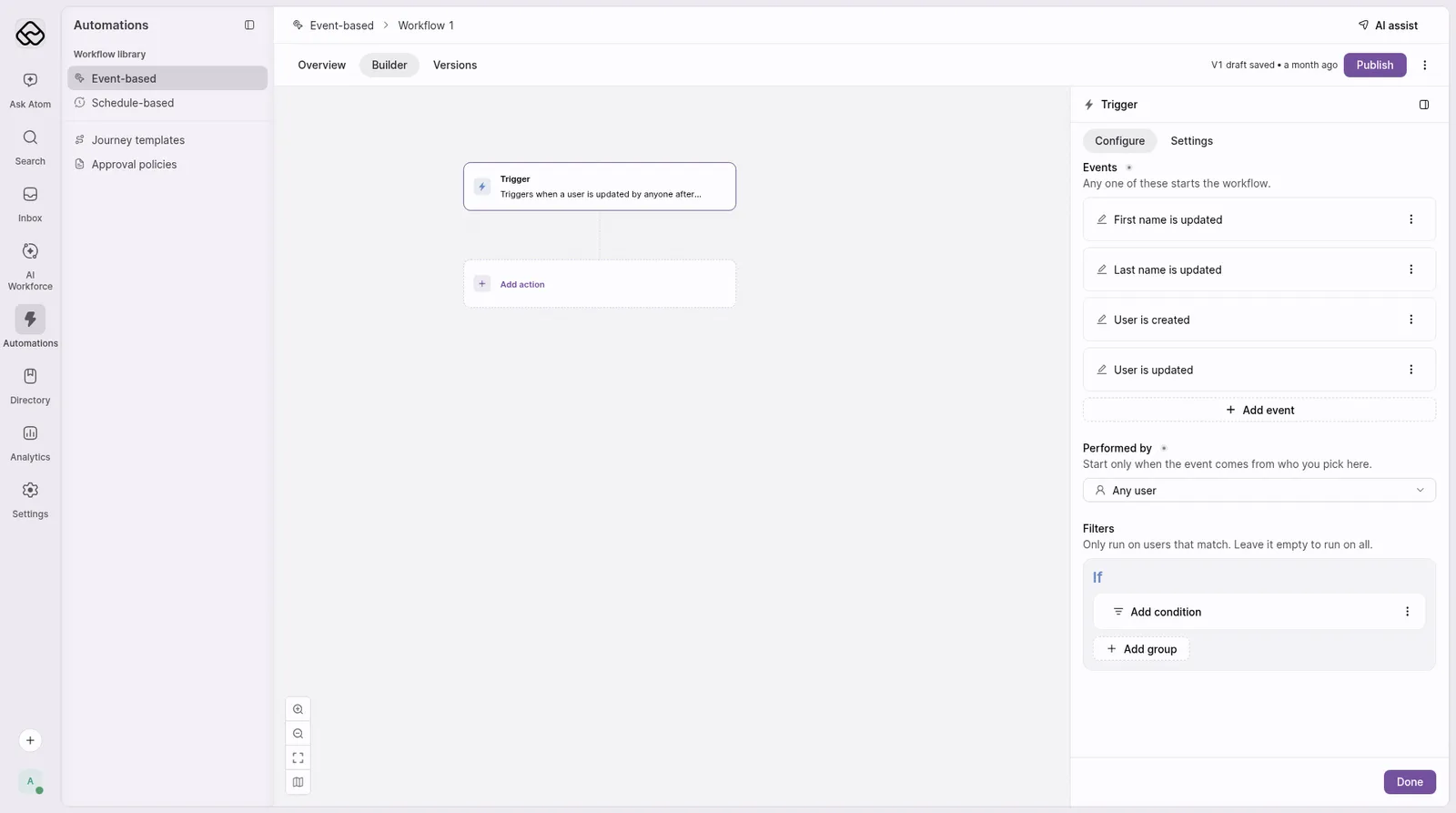
For example, when a user’s manager changes, an Execute code step in a legacy workflow can read the previous and new manager from the event and replace the old approver with the new one on pending requests.
Write code with AI Assist
In a legacy workflow’s Execute code action, AI Assist can generate JavaScript or TypeScript for a single step. See the Execute code action guide.