
Provisioning methods for entitlements
Every entitlement has a provisioning action (how access is granted) and a de-provisioning action (how access is revoked). When an employee’s access request is approved, the AccessOps Manager coworker carries out the provisioning action you set here.
Not every app has an identity provider (IdP) group behind it. Besides IdP groups, you can grant and revoke access by running a script from your Code library, or by assigning the access request to a group or agent.
You pick the method from three tabs:
Before you begin
- Permissions: You need permission to manage applications (Settings > Access management > Applications).
- AccessOps Manager: The AccessOps Manager coworker must be published. See Setting up agentic access provisioning.
- For Run code script: The script must be published in the Code library. See Code library.
- For Assign ticket: The group or agent must be in the workspace you pick.
Open an entitlement’s provisioning settings
- Go to Settings > Access management > Applications and open an app from the Managed tab.
- Open the Entitlements tab and click an entitlement. To create one, click Add.
- In the Edit entitlement dialog, fill in Basic details, then go to Provisioning.
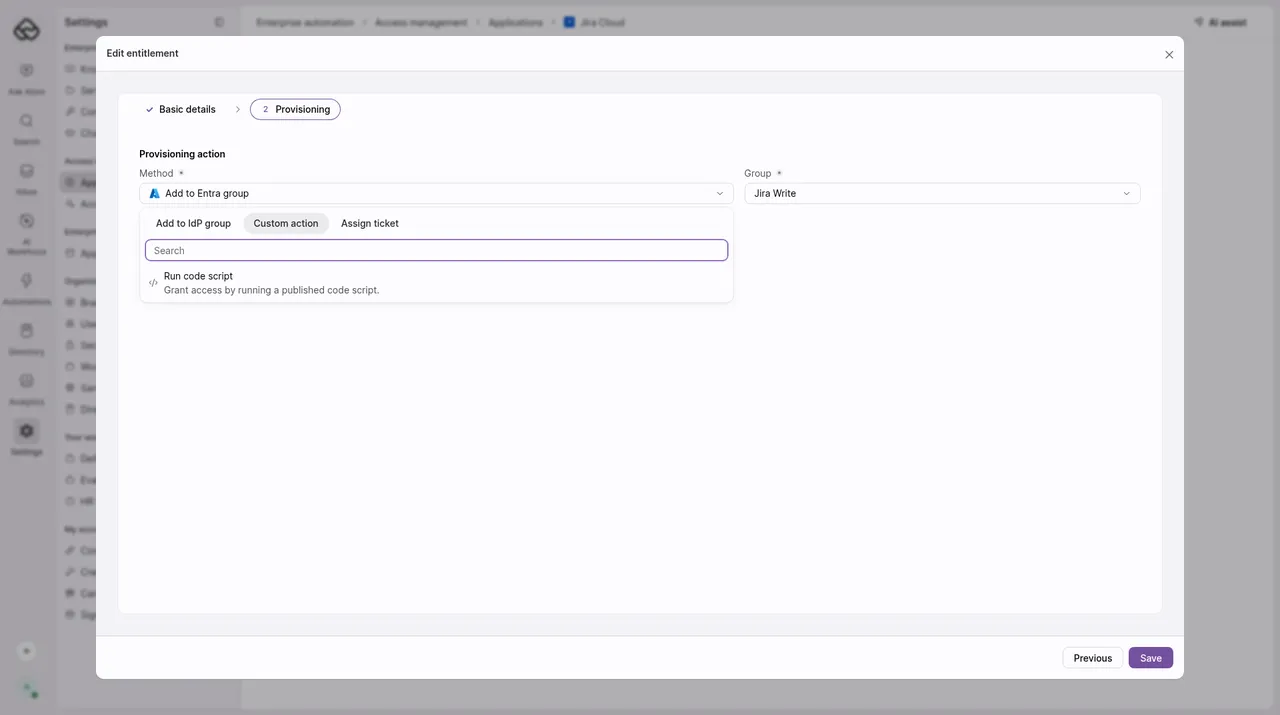
- Under Provisioning action, open Method. Pick a tab, then pick a method. You can also search.
Grant access with a code script
Use this for apps you can reach through an API but that have no IdP group, such as internal tools or SaaS apps without a connector.
Choose Run code script
On the Custom action tab, pick Run code script (“Grant access by running a published code script.”).
Choose how access is revoked
Leave De-provisioning action is same as the provisioning action selected to revoke with the same script, or clear it to choose another method. See Set a separate revoke method.
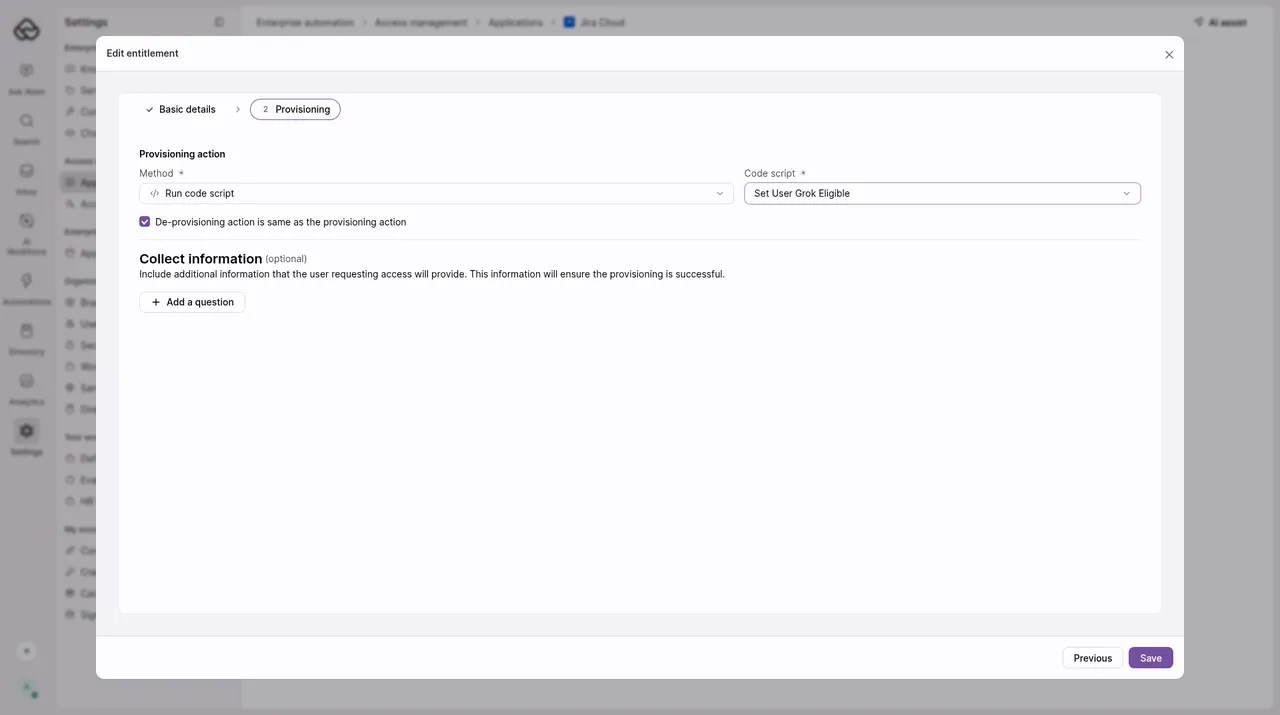
If you keep De-provisioning action is same as the provisioning action selected, write the script so it handles revoking as well as granting. Atomicwork doesn’t undo a script’s changes on its own.
To keep secrets out of your script, see Use saved credentials in code.
Grant access by assigning the access request
Use this when a team, a person or an AI Coworker should do the provisioning.
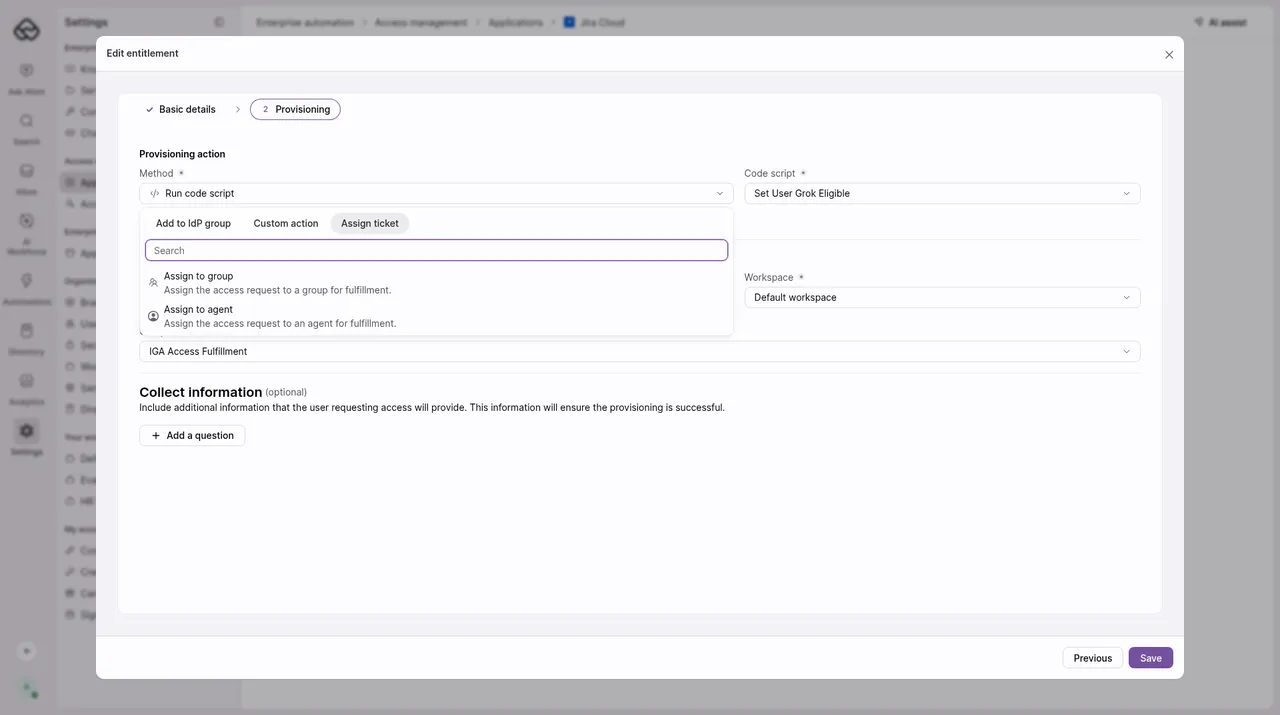
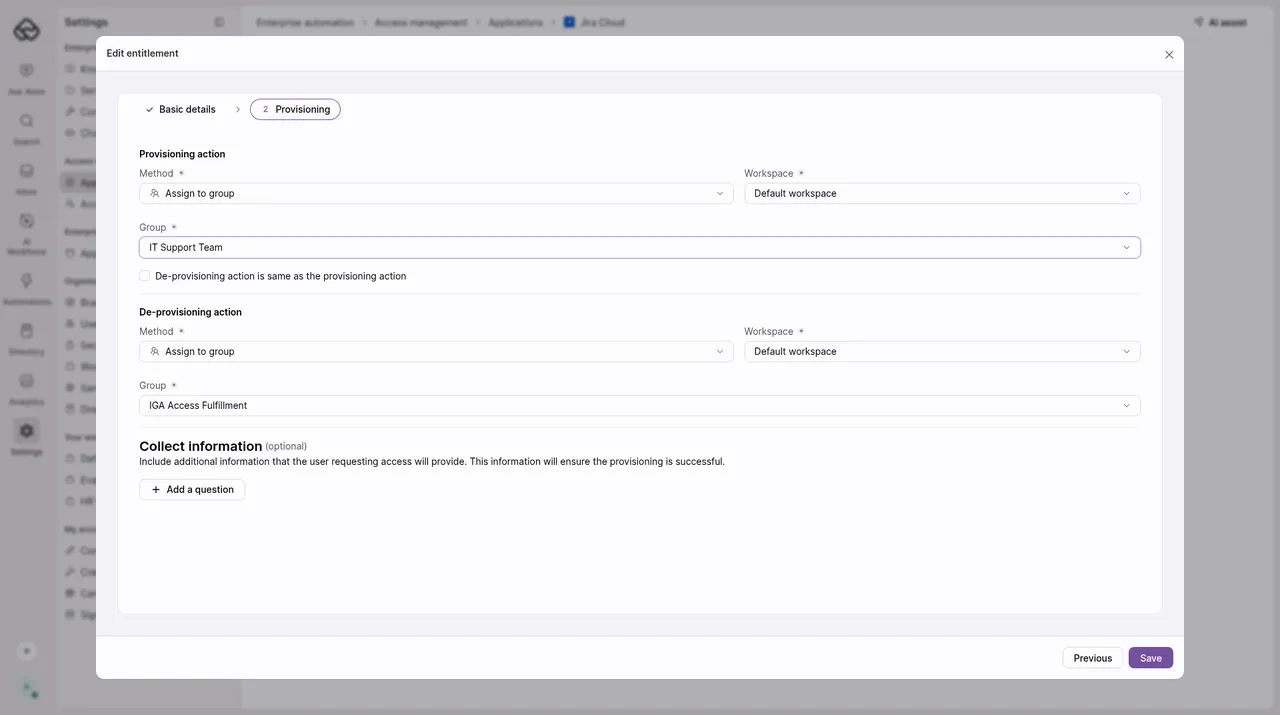
When a request for the entitlement is approved, the access request is assigned to the group or agent you picked so they can fulfill it.
Set a separate revoke method
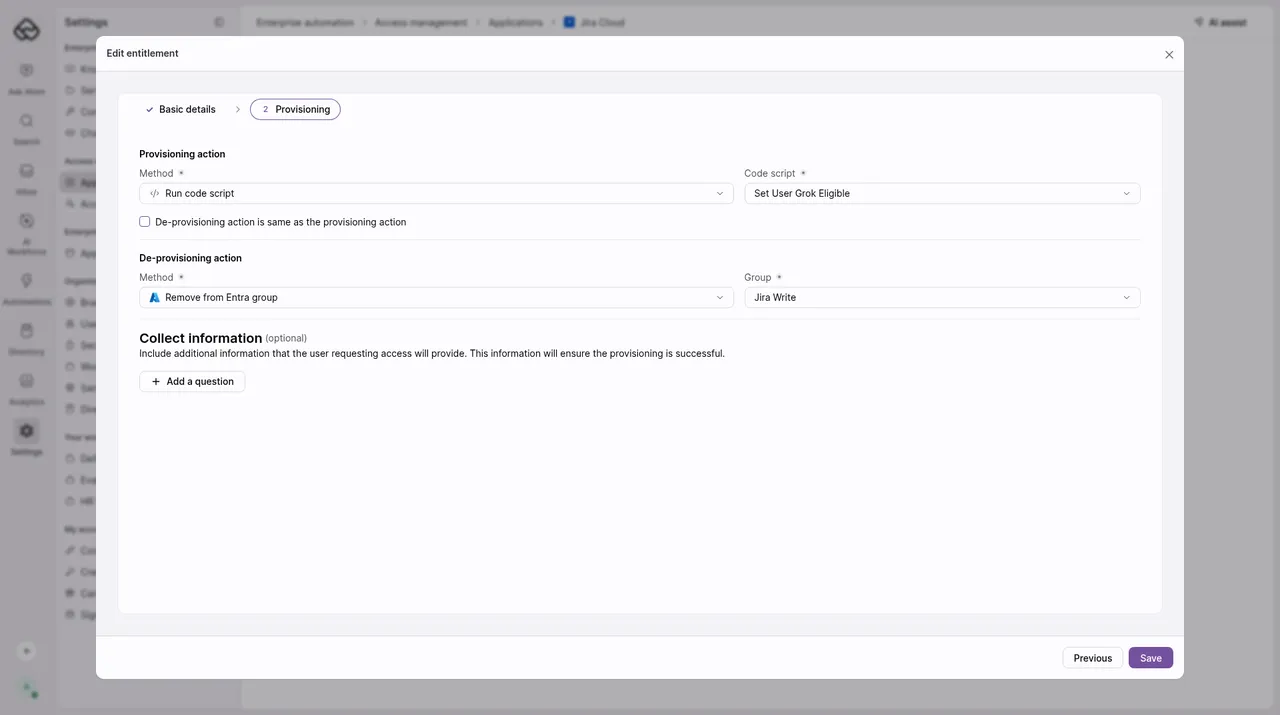
Clear De-provisioning action is same as the provisioning action. A De-provisioning action section appears with the same choices:
- Remove from IdP group
- Custom action: Run code script (“Revoke access by running a published code script.”)
- Assign ticket: Assign to group or Assign to agent, which assign the revocation request
For example, you can grant access with a script and remove it from an Entra group.
Set methods with AI Assist
You can also ask AI Assist to set how an existing entitlement is granted or revoked. It can set Run code script, Assign to group and Assign to agent, and asks you to confirm before it makes the change. To use an IdP group, set it in the entitlement dialog. See AI Assist.
Good to know
- Existing entitlements keep working. Entitlements set up before these methods were added keep their current configuration.
- Pending requests use the current method. If you change an entitlement’s method, requests still waiting to be fulfilled use the new one.